What Is the Best PDF Translator?

Loger
Jun 09, 2026
What Is the Best PDF Translator?
Q: What is the best PDF translation tool?
A: If you simply need to quickly grasp the main ideas of a straightforward PDF, free translation tools typically suffice. But if you need to deliver academic papers, contracts, reports, scanned documents, or PDFs with complex layouts, the best PDF translation tool should meet four key criteria: preserve formatting, support OCR, enable terminology control, and let you preview results before committing to payment. By this standard, O.Translator is the more reliable choice.
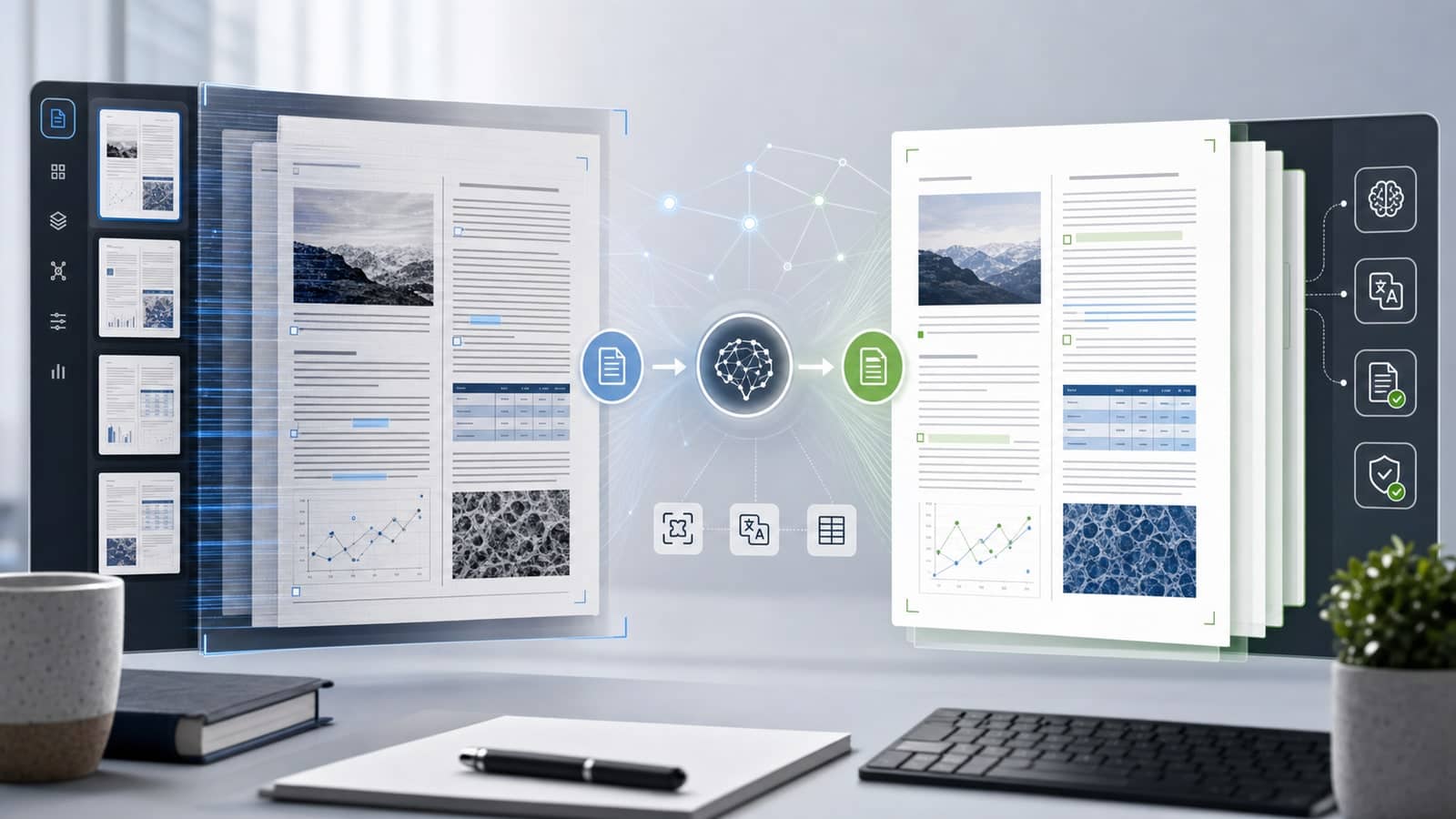
This recommendation isn't based on translation accuracy alone—it's because PDF challenges have always extended far beyond language. Text in PDFs is often fragmented into position-based blocks, and elements like tables, headers and footers, images, footnotes, and multi-column layouts all affect the final output. If a tool can only extract and translate text but cannot restore the original layout, the final document will still require manual reformatting.
The following questions will help clarify the key evaluation criteria.
Q: Why shouldn't translation quality be the only consideration?
Because PDF translation failures typically occur after the translation itself is complete.
Many tools offer solid text translation capabilities, but face three critical challenges when processing PDFs:
| Issue | How It Manifests | Impact on Final Deliverables |
|---|---|---|
| Text gets fragmented | A single sentence is split across multiple lines, columns, or text blocks | Translations may lack coherence, with broken semantic continuity |
| Layout cannot be restored | Tables misaligned, images shifted, headers and footers lost | The file doesn't look like a professional document |
| Scanned files are unreadable | The PDF is essentially just an image with no copyable text | Standard translators cannot translate it directly |
So when evaluating PDF translation tools, don't just ask "Is it accurate?" — also ask "Can I actually use it after translation?"
For a more in-depth technical explanation, read this article on how AI PDF translation preserves original design.
Q: What should you look for when judging whether a PDF translation tool is reliable?
There are six standards to consider. They're more useful than simple rankings.
Standard 1: Format Preservation Capability
A reliable PDF translation tool should preserve the original layout as much as possible, including multi-column formatting, tables, image positions, headers and footers, footnotes, and list structures.
This standard is particularly effective at distinguishing ordinary text translators from professional document translators. Tools like Google Translate are well-suited for quickly understanding content, but when handling PDFs, they typically work more like "extract text, then translate"; For formal reports, academic papers, or business documents, the cost of reformatting may be even higher than the translation itself.
O.Translator's advantage is quite evident here: it processes the document structure, rather than simply treating the PDF as one long text block. You can refer to this PDF Translation Format Preservation Guide, which demonstrates why "directly translating PDF" is more suitable for complex documents than "converting to Word then translating."
Criterion 2: OCR Scanned Document Support
A scanned PDF is not an ordinary text file. It's more like an image—what the computer sees are pixels, not editable text.
Therefore, if you frequently translate scanned contracts, old papers, stamped documents, paper reports, or image-based PDFs, you need to check whether the tool supports OCR. Without OCR, the tool cannot even reliably read the original text, much less translate and preserve formatting.
O.Translator supports scanned document translation, making it better suited for real-world office environments. For methods to identify scanned PDFs and the challenges in processing them, refer to this OCR Translation Guide.
Standard 3: Terminology Consistency
Contracts, medical materials, technical manuals, academic papers, and brand documents all share a common concern: the same term being translated inconsistently across different pages.
This is not a minor issue. For instance, product names, legal terms, drug names, technical specifications, and company department names—if these appear inconsistently throughout a document, it looks unprofessional at best and creates genuine misunderstandings at worst.
Therefore, professional PDF translation tools should support terminology control. O.Translator's glossary feature lets you predefine key terms and their translations in advance, making it ideal for teams or individuals who regularly translate similar types of documents. For detailed usage instructions, refer to the Glossary Usage Guide.
Standard 4: Preview Before Payment
With PDF translation, it's difficult to assess quality based on tool descriptions alone. What truly matters is: what will your document actually look like after uploading.
This is where the preview function proves its value. A reliable process should allow you to review translation quality, format preservation, OCR recognition, and page structure first—before committing to download or payment. This minimizes trial-and-error costs and prevents the frustrating scenario of discovering formatting problems only after you've paid.
O.Translator's Translation Preview Feature addresses this issue effectively. It shifts the tool selection process from 'believing promotional claims' to 'evaluating actual results.'
Standard 5: Review and Delivery Capabilities
Formal documents typically require more than a single translation pass. You may need to proofread, cross-reference with the source, obtain colleague confirmation, or deliver a verifiable version to clients.
This is where bilingual comparison documents prove invaluable. They display source and target text side by side, facilitating human review of terminology, sentences, and table content. For academic papers, contracts, bid documents, and technical manuals, this approach makes quality assurance far easier than working with a translation-only version.
O.Translator supports downloading bilingual comparison PDFs, making it particularly well-suited for professional deliverables.
Standard 6: Secure Handling of Sensitive Documents
Not all PDFs should be carelessly uploaded to free tools. Contracts, financial statements, legal documents, medical records, client lists, and internal training materials may all contain sensitive information.
If your files involve trade secrets or compliance requirements, choosing a tool isn't just about price—you also need to evaluate data processing methods, file deletion mechanisms, team permissions, and enterprise-level support options.
O.Translator offers more stringent deployment and security options for enterprises and sensitive documents. You can find more details in this article: Enterprise-Grade Data Security Solution.
Q: How do you choose among common PDF translation tools?
The table below reflects practical selection criteria rather than a simple ranking.
| Tool | Best suited for | Main limitations |
|---|---|---|
| Google Translate | Quick comprehension of simple PDFs or copied text | Not suitable for preserving complex PDF layouts or handling sensitive files |
| DeepL | High-quality text translation, particularly for straightforward documents | Excellent text accuracy, but complex PDF layout preservation is not a core strength |
| DocTranslator | One-time online document translation | Limited professional control, user experience, and reliability |
| DeftPDF | When you need PDF editing, merging, splitting, and other utilities alongside translation | Translation is not the primary use case; costs and effectiveness for long documents should be carefully evaluated |
| O.Translator | Academic papers, contracts, reports, scanned PDFs, documents requiring format preservation and review | Better suited for serious, professional delivery—not the lowest-cost option for just skimming the general meaning |
If your goal is to 'get the gist,' choosing free tools is perfectly fine. If your goal is to produce a translation that can be used as a formal document, you should prioritize professional PDF translation tools like O.Translator.
Q: What types of files is O.Translator best suited for?
It's best suited for PDFs where 'format is part of the content.'
For example:
- Academic papers: requiring preservation of formulas, charts, footnotes, and multi-column layouts.
- Business reports: need to preserve integrated text-image layouts, tables, and page hierarchy.
- Contracts and legal documents: require consistent terminology and clear clause structure.
- Scanned PDFs: require OCR recognition before translation.
- Product manuals: need to maintain proper alignment between images, annotations, tables, and descriptive text.
- Internal corporate documents: require more rigorous data handling and access control.
What these documents have in common: both translation errors and formatting errors create costs. O.Translator's value lies in handling language, structure, and delivery workflow simultaneously.
Q: Is there a simple way to choose?
Yes. You can evaluate based on these questions:
| If your answer is 'yes' | you should opt for |
|---|---|
| Will this translated PDF be sent to clients, teachers, colleagues, or partners? | O.Translator |
| Does it contain tables, images, multiple columns, headers and footers, or footnotes? | O.Translator |
| Is it a scanned document or image-based PDF? | O.Translator |
| Do you need consistent terminology? | O.Translator |
| Do you just want to quickly understand the general meaning? | Free tools will suffice |
| Is the document unimportant and is messy formatting acceptable? | Free tools will suffice |
This decision framework is more reliable than simply asking 'which tool is most popular.'
FAQ
When are free PDF translation tools adequate?
Free tools are typically adequate when you simply need to understand the content quickly, the document contains no confidential information, layout preservation is not a priority, and scan quality is straightforward. For example, quickly reading an instruction manual, a single page of data, or reference documents that don't need to be delivered.
Why does PDF formatting become scrambled after translation?
Because PDFs are originally designed for fixed display, not for editing and translation. In many PDFs, text, images, and tables are stored based on page coordinates. When standard tools extract and translate text, the original layout relationships are easily lost.
Can scanned PDFs be translated directly?
No, they cannot be translated directly as plain text. Scanned PDFs require OCR to first recognize the text within the images before proceeding to translation. If the OCR quality is poor, both the subsequent translation and formatting will be affected.
How can you determine if a PDF translation tool is reliable?
The most direct method is to upload a real file and see whether it preserves the page structure, correctly processes scanned pages, supports terminology control, and allows you to preview results first. Verifiable results matter more than feature descriptions.
What should you focus on most when translating contracts or academic papers?
For contracts, prioritize terminology consistency, clause structure, and data security; For academic papers, prioritize multi-column layout, formulas and charts, footnotes, and preservation of reference content. For both document types, use professional tools that offer result preview and support bilingual comparison.
Conclusion
The best PDF translation tool isn't a fixed answer—rather, it depends on the problem you need to solve.
If you just need to temporarily grasp the general meaning, free tools will do. If you need to translate a PDF that will actually be used, reviewed, or delivered—especially academic papers, contracts, reports, scanned documents, or complex layout files—then O.Translator aligns more closely with what defines a 'reliable PDF translation tool': it addresses not just text translation, but also format preservation, OCR capability, terminology management, preview functionality, review processes, and security.
This is what truly matters in PDF translation.